

The Pulse and Intelligence Center of Your Power BI & Fabric Estate
Gain estate-wide visibility and intelligence across operational health, exposure, usage and optimization – so you know early enough to decide and act.

As the estate grows, visibility gets harder.
More reports, workspaces, users and dependencies create greater operational complexity, exposure and governance pressure.
See how PowerPulse helps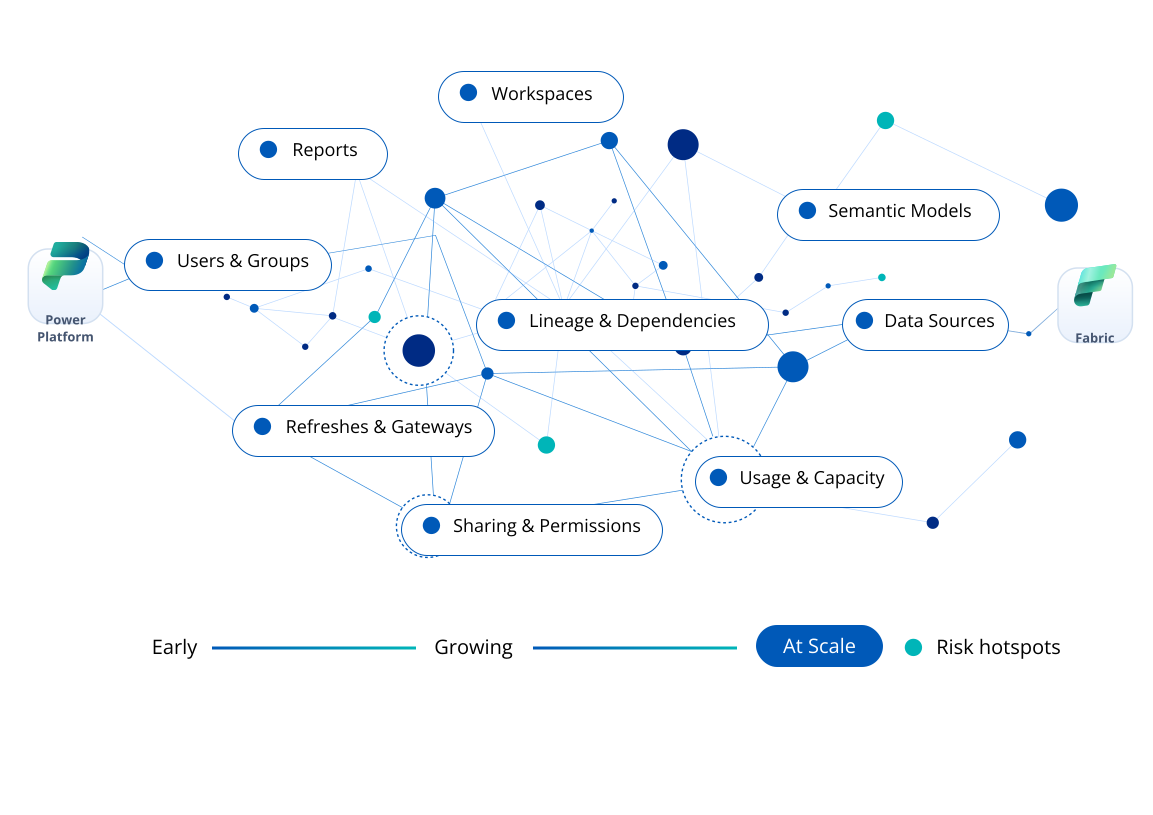
Would you know early enough to decide and act?
If critical reports are failing, inconsistent or not updating, will your team know before someone else does?
If sensitive data is shared too widely or access is left unmanaged, will your team know before it becomes a risk?
If capacity sits unused or costs keep climbing, will your team know before the budget review?
If you can’t answer confidently, your Power BI & Fabric estate may already have blind spots
With PowerPulse, you will know early enough to act.
One estate-wide intelligence layer across operational health, exposure, governance usage and optimization.
 Reports
 Workspaces
 Semantic Models
 Users
 Data Sources
 Refreshes & Gateways
 Sharing & Access
 Usage & Capacity
 Lineage & Dependencies

 The Pulse and Intelligence
Center of your estate
 Operational intelligence
Refreshes • gateways • failures • dependencies • health signals
 Risk intelligence
Access • sharing • exposure • exceptions • security findings
 Usage intelligence
Adoption • activity • stale assets • usage • ownership signals
 Governance intelligence
Ownership • policies • auditability • lifecycle visibility
 Optimization intelligence
Licenses • capacity • cost • cleanup • rightsizing
Inside PowerPulse
Each view turns estate signals into something your team can act on.
- Estate overviewA single view of your whole Power BI and Fabric estate.
- Refresh HealthSee which reports are failing, delayed or stale – and which downstream reports depend on them.
- Access InsightsSee who has access to what, and where sharing creates risk.
- Asset OptimizationFind unused assets, idle capacity and cost you can cut.
- Lineage ExplorerTrace data from source to report and see what a change will affect.


From estate signals to intelligence and action

Reports • users • refreshes • gateways • access • sharing • usage • lineage

A unified estate-wide view
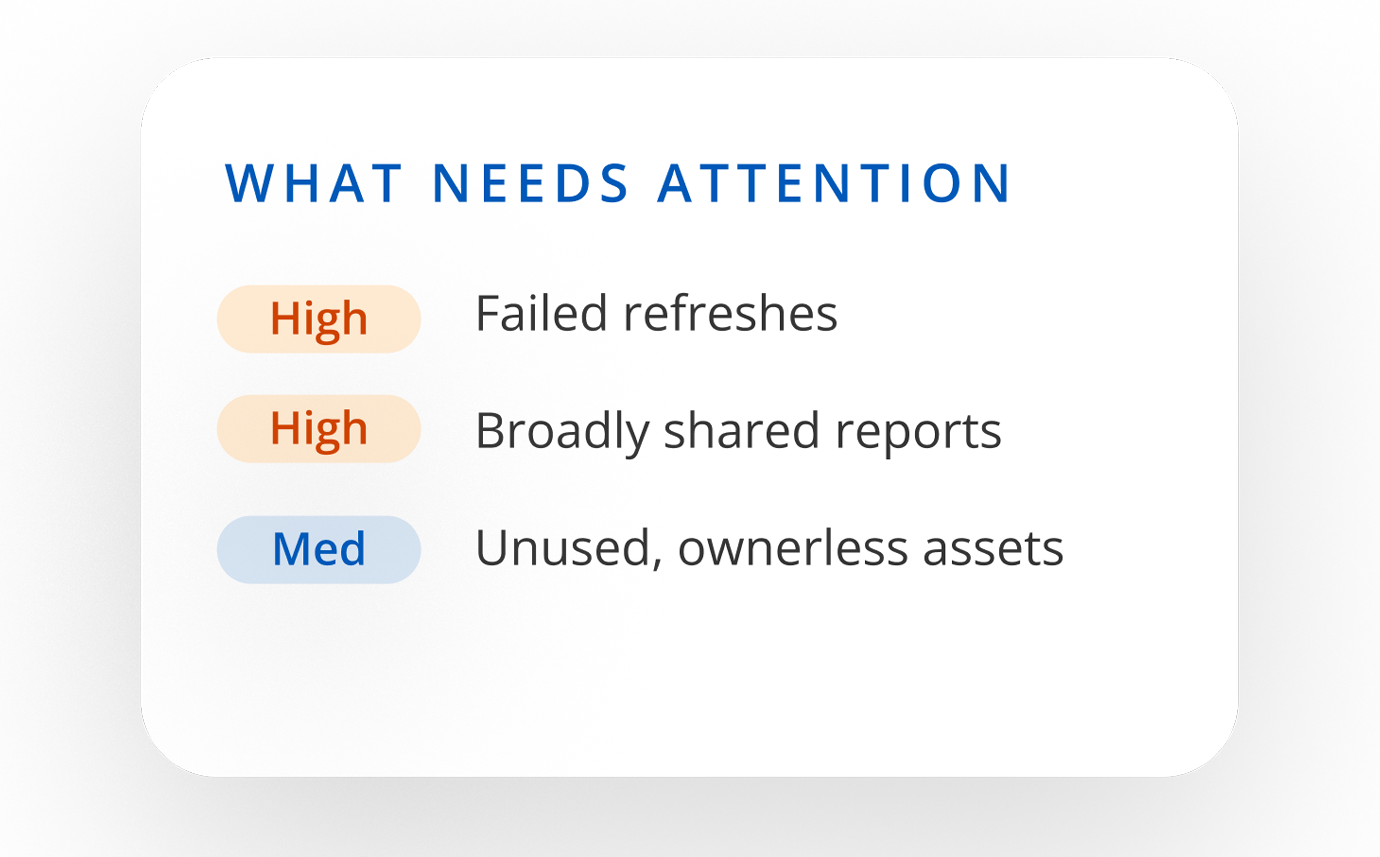
Understand what exists, what failed, what is exposed, what is used and where opportunities exist.

Investigate • prioritize • optimize • protect • clean up • govern • act earlier
Complement Microsoft. See the estate as a whole.
Microsoft provides the underlying platform signals and controls. PowerPulse brings relevant signals together into a broader estate-wide intelligence layer for visibility and action.
Learn More
A recognized Microsoft partner for Data, AI and Fabric

Start with PowerPulse today
Standard
Up to 4,000 reports
or $1,239 / year
- Governance & security visibility
- Workspace and artifact governance
- Growth and usage analytics
- Refresh health and gateway monitoring
- Digest and ad-hoc summaries
Professional
Up to 8,000 reports
or $1,999 / year
- Everything in Standard, plus:
- Lineage Explorer
- Backup / Recovery
- Up to 5 support hours / month
- Additional governance guidance
Enterprise
Unlimited reports
Tailored to your estate
- Everything in Professional, plus:
- PulsePilot AI governance assistant
- Compliance evidence reports (HIPAA, SOX)
- 12-month audit history
- Isolated environment on your own domain
- Named success manager & extended support


 Microsoft MarketplaceBuy through your Azure account
Read-only accessTo your estate metadata
White-glove onboardingDelivered by UBTI
Live in about an hour. Activate PowerPulse in three
simple steps.
1

 2
3
4
Subscribe
- Choose your plan on Microsoft Marketplace
- Select your Azure subscription and resource group
- Complete the purchase and register user
Connect
- Create an App registration
- Create a dedicated security group and provide permissions
- Link PowerPulse tenant App registration & Security group
Authorize
- Enable PowerBI Admin API Settings for the dedicated security group
- Add the security group to your workspaces
Pulse LIVE
- First sync maps your workspaces, reports, datasets and dataflows
- Daily sync scheduled

Prefer a hand? Book a free guided session and UBTI will walk through
it with you.
FAQ
01. How long does it take to get PowerPulse live?
About an hour. Subscribe on Microsoft Marketplace, connect PowerPulse to your tenant and authorize access to your workspaces. PowerPulse checks every step as you go. Prefer a hand? Book a free guided session and UBTI will walk through it with you.
02. Does PowerPulse access the data in my reports?
- PowerPulse focuses on operational and governance information such as workspaces, users, refresh status, gateway health and audit events.
- All access is audited, and any delegated support access is time-bound and fully logged.
- Details on data handling and residency are covered in our Governance & Security Framework, available on request.
03. Who needs to be involved in setup?
- Typically a Power BI or BI platform administrator, plus a champion user and a stakeholder to agree priorities and pilot scope.
- Your operations team will also be involved as the recipients of alerts and digests.
- Our team provides guidance and assisted onboarding throughout.
04. Which Power BI or Fabric licences do I need?
- PowerPulse works on top of your existing Power BI environment and doesn’t require changes to your infrastructure.
- Specific license prerequisites depend on your setup and the capabilities you want to use.
05. How does billing work?
- PowerPulse is offered as a subscription through Microsoft Azure Marketplace, billed monthly.
- Plans are tiered, with Explore Plus adding backup, recovery and managed support to the core platform.
- A free trial is available so you can evaluate it before committing.
06. What if my estate has more than 8,000 reports?
- PowerPulse is designed to scale with your environment, and its growth analytics
help you plan capacity. - Larger estates can be accommodated, with the plan sized to your report volume.
- Contact our team to discuss the best fit for an estate of that size.
Start your digital breakthrough today.
Discover what our extensive expertise and ability to leverage proven software accelerators could mean for your business. Connect with us for a free consultation with one of our technology leads.